
Every device, search, and click now adds to your digital footprint. Managing this footprint is more important than ever, as each action can expose personal data and privacy to new risks. Simple online habits, like sharing a photo or connecting to public Wi-Fi, can leave sensitive details open to unwanted tracking or breaches.
Digital footprint management means tracking and controlling what information about you exists online, how it’s used, and who can access it. Careless behavior can lead to targeted ads, data leaks, or identity theft. Setting privacy standards protects not only your identity, but also keeps your everyday life secure.
Understanding these risks and adjusting your online behavior is critical. By learning how to protect your information, you keep your data safe and reduce your chances of falling victim to privacy threats.
Understanding Your Digital Footprint
As you interact with digital tools and services every day, you leave behind a unique trail of data. This trail is called your digital footprint. It forms from your search history, social media posts, online purchases, and even the apps you use. Every action, from logging into a new network to downloading an app, adds to the data profile that companies and organizations collect about you. Understanding how this works is the first step in protecting your personal privacy and meeting modern privacy standards.
What Makes Up a Digital Footprint
Your digital footprint includes all records that can be traced back to your online activity. It’s more than just social media—it covers everything from emails to cloud backups. Here’s a breakdown of digital footprint components:
- Active data: Posts, comments, reviews, or any direct content you share online.
- Passive data: Information collected without your direct input, such as cookies, tracking scripts, or location data.
- Transaction records: Online purchases, banking activities, and subscriptions.
- Device information: Device IDs, IP addresses, and software usage.
- Search and browsing history: Every site you visit and every query you enter.
This footprint grows the more you use online services. Even deleting posts or accounts doesn’t always remove data, as backups and archives may still hold the information.
Why Your Digital Footprint Matters
Your digital footprint is valuable to marketers, tech firms, hackers, and sometimes even employers. A large, exposed data trail increases the risk of:
- Identity theft: Criminals can use public information to impersonate you.
- Targeted advertising: Your browsing habits help companies create detailed profiles for ads.
- Data breaches: Sensitive personal data stored online can be leaked during cyberattacks.
- Unwanted surveillance: Data brokers and third parties track and resell your activity.
By understanding the size and sensitivity of your footprint, you are better placed to limit accidental exposure. For a deeper understanding of current privacy policies and how your data is processed, check out this guide on the Data Protection and Privacy Policy in content creation.
How Your Digital Footprint is Created and Tracked
Your digital footprint forms both from voluntary actions and background processes. Here’s how:
- Giving permissions to apps or websites, such as location or microphone access.
- Using public Wi-Fi networks that log connection details.
- Interacting with smart home devices that send usage data back to manufacturers.
- Engaging on social media platforms, even in private groups or messages.
Many platforms partner with third-party trackers, which gather and combine your data across different websites and services. Privacy settings and opt-out options often require manual adjustment and frequent review.
Digital Footprint in Everyday Life
In daily life, your footprint updates in real-time based on common activities:
| Activity | Example Data Collected | Risk Level |
|---|---|---|
| Social media posting | Photos, comments, location | High |
| Online shopping | Purchase history, addresses, payment info | Moderate |
| Streaming content | Watching history, ratings, preferences | Moderate |
| Navigation apps | Location history, search queries | High |
| Device syncing | Contacts, schedules, files | High |
Proactive habits, such as logging out of unused accounts and disabling unneeded app permissions, shrink your digital footprint. For simple steps to address common risks, see this resource on easy AI security setup guides.
Awareness of your digital footprint is the first defense in personal data protection and helps you make informed decisions about what you share or withhold online.
Common Privacy Risks Linked to Digital Footprints
When you use online services, your actions leave a footprint that often goes deeper than it appears. Mismanaging this digital trail can expose you to privacy risks that go beyond targeted ads or spam emails. Each risk comes from specific online habits and technical vulnerabilities, making it important to review how even simple actions can put your personal information at stake.
Identity Theft and Personal Data Exposure
A major privacy concern is identity theft. Attackers collect personal data from different sources—like social media, forums, and online purchases. Even small pieces of information such as your birthdate or address can be gathered from your digital footprint and combined to open accounts or commit fraud in your name. Data breaches heighten this risk, as exposed databases often contain login details, payment information, or private identifiers.
Behavioral Tracking and Profiling
Advertisers and data brokers use advanced tracking tools to follow your web activity across different sites and apps. This creates a detailed profile that includes your browsing habits, purchasing behavior, location history, and more. These profiles are often shared or sold to third parties, who use them for targeted marketing or analytics. The end result is a loss of personal privacy, reduced control over how your data is used, and potential discrimination based on your online profile.
Unwanted Surveillance and Data Collection
Many digital services collect more data than users realize. From location tracking in mobile apps to voice recordings on smart devices, companies build extensive records for feature development and business analytics. Even routine actions, like joining a Wi-Fi network or searching on a mobile browser, can expose your device identifiers and location. Some users are unaware that certain features, such as smart suggestions, require ongoing access to personal information.
Social Engineering and Phishing Attacks
Attackers can use details from your digital footprint to design believable phishing campaigns. Personalized messages based on your interests, friends, or recent purchases are more likely to fool you into sharing private details or clicking dangerous links. For example, a convincing message imitating a real service you use raises the risk of falling for a scam. These attacks do not rely solely on technical skill but take advantage of information made public through everyday online activity.
Data Permanence and Forgetting Problems
Deleting a post or account rarely erases your data completely. Archived backups, cached pages, and data sold to third parties can keep personal information accessible long after you think it’s gone. This permanence creates long-term privacy risks, as information from years ago can surface unexpectedly in background checks, marketing campaigns, or social searches.
Understanding the technical roots of these issues can help you stay ahead. Consider how next generation AI with ChatGPT 5 advancements are reshaping the ways data is collected and analyzed. Reviewing privacy settings and staying informed on updates helps manage risks before they lead to real problems.
Best Practices for Managing Online Data
Smart management of online data keeps personal information safe and limits how much can be tracked or misused. Everyday privacy risks are easier to control when you know where to look and what steps to take. By building habits around privacy settings and regular account checks, you can limit exposure without losing access to the digital tools you rely on.
Adjusting Privacy Settings on Social Media: Step-by-Step
Social media profiles often share more by default than users intend. Adjusting privacy settings reduces risk and helps keep your personal details private. Here’s how you can review and tighten those settings:
- Access your profile’s privacy menu: Most platforms provide a single section for privacy or account settings, usually under your profile icon or menu.
- Check profile visibility: Set your profile details (like email and birthday) to visible only to you or your friends.
- Control who sees your posts: Change default audiences to “Friends” or create custom lists. Remove “Public” as a default where possible.
- Limit data sharing with third parties: Review app integrations connected to your social media. Remove unused or suspicious apps to stop them from accessing your data.
- Disable location sharing: Turn off geotagging for posts and photos.
- Enable login alerts: Activate notifications for logins from new devices.
Each platform updates its privacy controls, so revisit your settings every few months. For more on using privacy controls with newer AI features and social media, check out real-life adjustments detailed in the OpenAI GPT-4o comeback story.
Regular Account and Permission Audits
Every time you sign up for a new service or connect an app, you grant permissions that may last long after you stop using it. Unchecked permissions can lead to unnecessary data exposure. Conducting routine audits helps reclaim control over your footprint:
- Review connected apps and services: In your account settings (Google, Apple, Facebook, etc.), look for sections labeled “Security” or “Apps and Sessions.”
- Remove old or unused connections: Disconnect services you no longer use. Especially focus on third-party logins with social media or email accounts.
- Check permission levels: Some apps only need basic info. Remove any that request access to contacts, camera, or microphone without a clear reason.
- Repeat the process regularly: Set a reminder every three to six months to recheck all major accounts.
A simple audit can reveal forgotten connections and close potential gaps. If you use advanced tools or AI-driven services, know that new features may change what you’ve shared. Keeping up with changes—as explored in the ChatGPT 5 features and pricing guide—ensures no hidden settings go unchecked.
Thorough management starts with small but steady routines, and these practices form the backbone of digital security in day-to-day life.
Advanced Tools and Technologies for Privacy Preservation
Digital privacy is no longer managed by browser settings alone. Today, smart solutions and technical innovations are making it possible to defend personal data at a much deeper level. From encryption tools that shield conversations to advanced tracking blockers, security platforms now offer individuals the same caliber of protection that large enterprises demand. This section explores the leading technologies available today that help keep your personal data private and secure.
Encrypted Communication and Secure Browsing
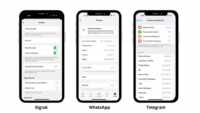
Strong privacy begins with securing how you communicate and browse. End-to-end encrypted messaging apps such as Signal and WhatsApp use encryption protocols that make it nearly impossible for outsiders to read your messages, even if the data is intercepted. For web browsing, privacy-focused browsers like Brave and Tor offer built-in features to stop trackers and mask your digital identity.
For users who want even stronger security, virtual private networks (VPNs) create an encrypted tunnel for your web traffic. VPNs hide your IP address and make online activity harder to trace back to you. Choosing a reputable VPN and enabling browser security settings remains key for preventing leaks.
Key features to look for in privacy tools:
- End-to-end encryption to keep data private in transit
- Built-in ad and tracker blocking
- Regular security updates and open-source code
- Strong log retention and data deletion practices
Password Managers and Multifactor Authentication
Weak passwords are a top vulnerability for personal accounts. Password managers generate and store unique, complex passwords for each online account—removing the need to memorize or reuse credentials.
Multifactor authentication (MFA) adds a second layer. After entering a password, users confirm their identities with a text code, app prompt, or biometric scan. This simple step can block most unauthorized access, even if a password is stolen.
To maximize benefits:
- Use a password manager to save all logins
- Enable MFA wherever services allow
- Change passwords after security alerts or breaches
Privacy Management Platforms
Modern privacy often calls for an all-in-one approach. Privacy management platforms combine tracking protection, permission audits, and data removal tools in a single dashboard. These services guide users in adjusting settings, scanning the web for exposed information, and automating requests to delete old data.
Some advanced platforms can monitor for leaked credentials and alert you early so you can act before a problem worsens. Businesses and high-profile individuals also use similar services to safeguard larger digital footprints.
Artificial Intelligence for Privacy Protection
AI is changing privacy defense. Some tools now use machine learning to detect and block suspicious behaviors, filter out phishing attempts, or identify voice deepfakes before they cause harm. Companies are bringing these advances to consumers, making it possible to fight off sophisticated threats from home.
For a closer look at how AI helps expose manipulated content in real time, see these strategies used for Detecting Deepfake Audio in Live Calls. Techniques such as acoustic analysis and live forensic checks are being built into apps to flag fake or tampered audio and protect users from fraud.
Automated Data Minimization and Removal
As privacy regulations grow stricter, data minimization—limiting what gets collected—has become a standard. Automated tools can scan accounts and recommend what to delete or anonymize. Some services send removal requests to data brokers on your behalf, helping scrub personal details from public databases.
A table outlining popular privacy tools and their uses:
| Tool Type | Example Use | Strengths |
|---|---|---|
| Encrypted messaging app | Private text and voice chats | High confidentiality |
| VPN | Anonymized internet surfing and geo-unblocking | Location masking |
| Password manager | Complex password generation and storage | Account protection |
| Privacy management software | Automated audit and removal of exposed data | Data minimization |
| Anti-deepfake AI tools | Real-time audio/video authenticity detection | Fraud prevention |
Adopting these tools transforms your privacy posture and reduces the risk of personal data leakage. As technology and attack methods keep changing, integrating these solutions into your daily routine stays essential for modern digital security.
Maintaining Digital Hygiene for Long-Term Security
Good digital hygiene forms the backbone of personal data protection. Keeping routines for managing your online presence not only limits data leaks but also stops privacy threats before they start. By treating your digital habits much like you would personal health routines, you lower the risk of long-term exposure and strengthen your overall security posture.
Building Smart Online Routines
Adopting regular online habits is the first line of defense against digital risks. Small actions matter over time. Start by:
- Logging out from accounts when finished. Do not let sessions stay open on shared devices.
- Clearing browser cookies and cache weekly.
- Updating software and apps as soon as updates arrive.
- Changing passwords if you suspect a breach, or every few months for sensitive accounts.
- Reviewing what devices have access to your accounts.
These repeatable habits limit what information is exposed or left behind. Simple routines can stop ongoing data collection and protect privacy without sacrificing convenience.
Managing App Permissions and Device Settings
Many users ignore app permissions after installation, leaving open doors for ongoing data harvesting. Take time each month to:
- Check which apps have recent access to contacts, location, camera, or microphone.
- Revoke unnecessary permissions for apps that do not need constant data access.
- Delete old or unused apps entirely to remove unwanted data sharing.
- Disable Bluetooth or Wi-Fi on mobile devices when not needed.
- Monitor connected devices from your main account dashboards.
Reviewing these settings sets a clear boundary around what information can be gathered from your devices, limiting risk from background tracking.
The Role of Secure Backups and Data Minimization
Secure backups shield you from accidental loss while data minimization reduces how much information hackers or companies can access. Use encrypted cloud storage for backups of essential files. Remove duplicates and old data that is no longer needed. Storing less means exposing less if systems are ever compromised.
A few effective habits include:
- Scheduling regular, encrypted cloud or local backups of important data.
- Deleting old emails, sensitive documents, and unused media from all devices.
- Using file encryption to protect sensitive information when storing or sharing.
By minimizing what is stored and keeping it secure, you reduce the potential damage from any breach or attack.
Periodic Digital Footprint Reviews
Digital hygiene means knowing what information is available about you online and keeping it current. At least twice a year, search for your name, email, and common usernames to identify exposed data or accounts. Cancel, close, or update anything old or risky. Some tools can automate this scan or notify you when new information is discovered about you on public databases.
Taking these steps helps limit how much personal data stays online, reducing the risks tied to data permanence.
Raising Awareness About Fake Tools and Scams
Part of digital hygiene involves knowing what threats look like. AI scams, phishing emails, and fake tools can trick users into sharing credentials or installing malware. Keep up-to-date with security news, and review lists of known scam techniques. In addition, adopting strong digital hygiene means never installing software from unknown sources, and validating claims before providing any personal data or credentials.
To understand how AI-powered scams target users and how you can avoid them, explore resources like the summary on AI Investment Scams and what to watch for in 2025.
Digital Hygiene Checklist
To help with ongoing maintenance, use a checklist approach:
- Review and update passwords every 3-6 months.
- Audit account permissions monthly.
- Back up essential files to secure, encrypted storage.
- Remove unused apps and social profiles regularly.
- Check device and app privacy settings quarterly.
- Stay informed on new security threats and adjust habits as needed.
Maintaining digital hygiene is a continuous practice. Good habits compound over time, giving you stronger, long-term protection against evolving privacy threats.
The Role of Artificial Intelligence in Safeguarding Personal Data
Artificial intelligence (AI) is now central to protecting personal data against growing digital threats. These systems work in real time, spotting suspicious activity faster than human operators ever could. AI defends users where old tools fall short, offering precision and adaptability. Let’s look at how AI delivers practical data protection across several layers of our digital lives.
Real-Time Threat Detection and Response
AI-powered security monitors networks and devices around the clock. It checks patterns, compares activity against known threats, and reacts the moment it spots something unusual. This rapid reaction stops attacks, limits data loss, and reduces downtime.
- AI can identify phishing attempts within email traffic before users open dangerous links.
- These tools watch for changes in user behavior, such as strange logins or rapid file transfers.
- Instead of waiting for user reports, AI acts immediately, sending alerts and in some cases, locking compromised accounts.
Security systems using AI help organizations and individuals respond effectively and reduce the impact of attacks. AI does not replace human judgment, but it narrows the window for attackers.
Smart Data Anonymization and Masking
AI technologies allow for more precise data anonymization—removing or scrambling personal identifiers before data is stored or shared. This meets privacy laws and cuts risk if information is leaked. AI picks out direct and indirect identifiers in datasets, replacing names, locations, or unique traits with safe substitutes.
- Automated anonymization helps healthcare and finance sectors keep records safe while still using them for research or analytics.
- AI can adapt anonymization methods if attackers find new ways to reidentify users.
This smart masking means your identity does not follow your data wherever it goes.
Behavior Analysis for Privacy Violations
Traditional security alerts often overwhelm users with false alarms. AI tunes the detection, focusing on high-probability privacy violations.
- Systems learn what regular activity looks like for each user or device.
- AI flags only what is truly out of place, making alerts more actionable.
- It keeps a running model of your typical online interactions, identifying suspicious data access or sharing.
By knowing the difference between real work and threats, AI cuts down on mistakes and focuses energy where it matters most.
Automating Policy Compliance
AI speeds up privacy compliance by scanning and flagging mistakes that would take humans much longer to catch. Businesses use these tools to check for leaks of sensitive data, missed security updates, or problems that could trigger fines.
- The technology reviews email, documents, and file transfers for violating company or regulatory rules.
- It helps businesses meet changing laws such as GDPR and CCPA, lowering the risk of penalties.
These solutions free up time for IT and compliance teams, allowing them to focus on bigger questions instead of routine checks.
Reducing Human Error and Insider Risk
Much sensitive data exposure comes from mistakes—sending files to the wrong contact or using weak passwords. AI tools provide built-in safety checks:
- Warn users before sharing private files with new contacts.
- Require extra steps if sensitive data gets downloaded outside normal hours.
- Automatically suggest stronger passwords or prompt for extra verification.
By tracking and advising user actions, AI limits accidents that put personal data at risk.
The Broader Impact of AI on Privacy Strategies
AI is always learning, drawing on new threat data from millions of sources. It adapts as risks change and attackers get smarter. While no technology is perfect, AI tools today set a high standard for data protection, especially for people protecting large amounts of personal information.
For deeper updates on how AI-driven solutions are shaping privacy and security, visit the Artificial Intelligence Category at LegacyWire. Staying up to date on these innovations ensures you make informed decisions about the technologies you trust to protect your personal data.
By using AI alongside careful digital hygiene, everyone can create a stronger and more resilient approach to privacy.
Conclusion
Managing your digital footprint each day safeguards your personal data and strengthens your privacy defenses. Simple privacy practices, repeated over time, help you reduce exposure and respond quickly when risks emerge. The threat landscape grows more complex, so a steady routine with privacy tools, strong passwords, and regular digital reviews keeps you covered.
Digital footprint management is not a one-time fix. It’s an ongoing task that shapes how you interact with technology responsibly. Act now to put these privacy strategies in place. Your efforts today secure your future and set a standard for responsible digital citizenship.
Thank you for making your privacy a priority. Stay vigilant and share your own best practices to help build a more secure online community for everyone.

Leave a Comment