
Microsoft is stepping up its efforts in 2025 to shift Chrome users over to Edge, launching a new campaign that uses more persistent and targeted prompts. This latest push goes beyond simple notifications, incorporating telemetry to monitor heavy Chrome usage and then trigger messages encouraging users to switch browsers or pin Edge to their taskbar. The strategy highlights that Edge runs on the same Chromium engine as Chrome, but promotes Microsoft’s added security and deeper system integration as key advantages.
Despite Chrome holding roughly two-thirds of the browser market, Microsoft appears determined to increase Edge’s user base on Windows, even if it means employing intrusive tactics that some see as crossing privacy boundaries. Their approach reflects ongoing competition in the browser market, where trust and system-level integration play a growing role alongside technical features. This campaign is part of a broader trend where operating system vendors try to influence user preferences through built-in prompts and usage monitoring, raising important questions about user choice and privacy.
Overview of Microsoft’s Current Campaign Against Chrome
Microsoft is intensifying its efforts to shift users from Chrome to Edge with a campaign that blends monitoring technology and targeted user prompts. The push isn’t just about highlighting Edge’s features; it’s about actively detecting when users rely heavily on Chrome and nudging them toward switching browsers in real time. This section breaks down the core technical details Microsoft is employing to drive this campaign and explores how users, experts, and competitors have responded to what many see as an overly aggressive approach.
Core Features of the Campaign’s Technology
Microsoft’s campaign uses a set of internal signals and flags embedded within the Edge browser to track Chrome usage closely. The system appears designed to monitor how often a user runs Chrome, especially focusing on high usage levels—likely when Chrome activity reaches or exceeds 90% of total browser time. Once this threshold is met, the campaign triggers notifications within Windows that encourage the user to try Edge or pin it to the taskbar for easier access.
Key elements of the technology include:
- Usage Monitoring: Microsoft assesses user activity by monitoring Chrome’s presence and usage intensity without full transparency on what data it extracts. This creates a threshold-based trigger for campaign activation.
- Targeted Prompts: On detecting heavy Chrome use, Edge can display notifications at crucial moments, such as when closing the Edge browser, prompting users to consider switching or “pinning” Edge to the taskbar.
- Internal Flags: Code within Edge, like
msOptimalChromePBSignalForPinningOnCloseCampaignsandmsPinningCampaignChromeUsageGreaterThan90Trigger, acts as decision points directing when and whom to show promotional messages. - Incremental Feature Updates: Microsoft integrates new tools such as the Copilot mode to enhance Edge’s appeal, reinforcing the message that Edge is more functional and integrated with Windows.
This method of combining telemetry with subtle system-level nudges shows Microsoft’s intent to tightly integrate browsing behavior with operating system features. The campaign smartly targets heavy Chrome users, presumably those most likely to be convinced by system-suggested alternatives, rather than casual Chrome browsers.
User and Industry Reactions to the Campaign
The campaign has stirred significant debate both among users and tech industry observers. Many see Microsoft’s new tactics as a step too far, commenting on the intrusive nature of surveillance and unsolicited prompts baked into the OS. Privacy advocates express concern about the opaque data collection methods implied by the campaign, questioning how much of user behavior is tracked without clear disclosure.
From an industry perspective, experts highlight that Microsoft’s push reflects a competitive desperation to reclaim browser market share against Chrome, which dominates globally. Some specialists criticize the campaign for marking a shift from feature-driven competition to borderline coercion, risking user backlash. Microsoft’s history of pre-installing Edge and offering subtle reminders has now escalated into a more system-embedded marketing effort.
Enterprise users also feel the campaign’s weight, especially when organizations adopt Windows in managed environments. Microsoft’s moves suggest a desire to lock in Edge at a corporate level, ensuring deeper ecosystem control. While some IT admins welcome tighter integration and security benefits, others worry about limiting user freedom inside business settings.
Competitors, primarily Google, dismiss these attempts as familiar push tactics without acknowledging the real strength Chrome holds due to established user preference and extension ecosystems. However, the campaign implicitly acknowledges Edge’s reliance on a shared Chromium base but tries to swing the argument in favor of Windows-level enhancements.
For further context on browser competition trends, see this report on how browsers are vying for user attention and market share here.
Microsoft’s campaign clearly signals it is willing to push beyond traditional marketing to secure more users for Edge, but it raises ongoing questions about privacy, user agency, and fair competition in the browser wars.
Performance and Feature Enhancements of Microsoft Edge
Microsoft Edge continues to focus on improving both performance and feature set to position itself as a viable alternative to Chrome. While the company rolls out campaigns urging Chrome users to switch, it’s worth looking closely at the technical improvements and unique capabilities Edge offers today. These upgrades address speed, efficiency, usability, and security, making Edge more than just another Chromium-based browser.
Speed and Efficiency Improvements
Edge has made significant strides in speed and resource management, addressing key pain points many users experience in other browsers. One of the measurable improvements is its ability to deliver a First Contentful Paint (FCP) in under 300 milliseconds on many sites, meaning web pages start to render quickly after you click a link or enter a URL. This helps reduce perceived lag and improves browsing fluidity.
Additionally, Microsoft has optimized JavaScript execution within Edge, leading to faster script processing and interaction responsiveness. The browser reduces unnecessary background activity and prioritizes active tabs to keep CPU and memory usage lower compared to competitors. This efficiency translates into longer battery life on laptops and smoother multitasking.
Behind the scenes, Edge carefully manages resource consumption by:
- Suspending inactive tabs to save memory.
- Using intelligent caching to avoid frequent reloads.
- Minimizing CPU cycles for background processes.
These improvements are practical benefits users notice in daily use, making Edge feel nimble without sacrificing functionality.
Unique Features Exclusive to Edge
Beyond speed, Edge packs several features that don’t have direct equivalents in Chrome. These native tools enhance productivity, organization, and security, aiming to justify why some users might prefer Edge despite Chrome’s dominant market share.
Key exclusive features include:
- Vertical Tabs: A sidebar tab system that allows better management when dozens of tabs are open. This vertical layout reduces clutter and makes navigation simpler.
- Favorites and Collections: Collections let users gather, organize, and export web resources—text, images, and links—into thematic groups. This system is more robust than the typical bookmarks bar and integrates well with Windows.
- Immersive Reader: Ideal for distraction-free reading, this feature strips away ads, sidebars, and other clutter. It improves focus by reformatting content with clearer fonts and layout, and it includes read-aloud functionality.
- Built-in Security: Edge integrates closely with Windows Defender SmartScreen to block malicious sites and downloads. It also supports features like tracking prevention and sandboxing, which protect users more effectively than Chrome’s default protections in certain Windows environments.
These features demonstrate Microsoft’s intention to blend browser performance with deeper Windows integration and user-focused enhancements. While some users might not switch purely because of features, these tools provide solid, functional reasons to reconsider Edge.
Together, the combination of performance tuning and exclusive capabilities shapes Edge into a browser that responds quickly, runs efficiently, and provides extra value through innovative design and security. This approach supports Microsoft’s broader push to increase Edge adoption but also stands on its own merits. For readers interested in further developments tied to Microsoft’s AI and productivity workflow integration, check this coverage on ChatGPT’s impact on productivity tools.
The ongoing enhancements could sway users looking for both faster web experience and more organized browsing without jumping between multiple extensions or apps.
Comparing Microsoft Edge and Google Chrome Market Positions
Microsoft’s latest efforts to pull users away from Chrome and towards Edge highlight a tough reality in browser market competition. Despite Edge benefiting from deep Windows integration and ongoing improvements, convincing users to switch remains a significant hurdle. The battle is not just about features or speed but involves competing with entrenched user habits, perceptions about Microsoft’s tactics, and technical nuances that shape user experience.
Challenges Microsoft Faces in Convincing Chrome Users
Microsoft is dealing with several stubborn factors that limit Edge’s ability to win over Chrome users easily:
- User Loyalty and Habit: Many people stick with Chrome simply because they have relied on it for years. Their bookmarks, extensions, and saved passwords embed them deeply in the Chrome ecosystem. For these users, switching browsers feels like a hassle and a risk to their workflow.
- Perception of Aggressive Tactics: The latest campaign shows Microsoft monitoring Chrome usage to serve prompts encouraging the switch. This level of targeting can feel intrusive and pressure users, potentially backfiring by creating resistance rather than curiosity. Aggressive push campaigns raise concerns over privacy and user control, especially when the data collection behind these prompts is not transparent.
- Technical Integration and Compatibility: Chrome benefits from a vast extension ecosystem and cross-platform consistency, which appeals to users who work across multiple devices and operating systems. While Edge shares Chromium’s backend, not all Chrome extensions or settings migrate perfectly. Edge’s feature set—such as vertical tabs or collections—may draw interest, but incompatibilities or missing features can deter users.
- Competition With Established Entrenchment: Google Chrome owns roughly two-thirds of the global browser market, offering a strong network effect. This dominance creates inertia, where new users join because everyone else uses Chrome, making Microsoft’s job harder.
- Privacy and Trust Barriers: Microsoft’s approach of monitoring browsers to trigger these prompts raises suspicion. Users worry about how much data is collected and how it is used. This concern adds friction to adoption, especially with growing attention on data privacy.
Despite these challenges, Microsoft continues to enhance Edge with features like Copilot mode and tighter Windows integration, seeking to incrementally build value for users willing to give it a chance. Still, these technical and perceptual barriers remain a hefty obstacle.
Understanding these factors is key to grasping why Microsoft’s campaigns, no matter how technically advanced, must overcome more than just feature parity. They face the challenge of changing habits, addressing privacy concerns, and establishing trust in a market where Chrome’s foothold is deeply rooted.
For more technical insights on how AI tools are integrated into productivity workflows and potentially influence browser usage, you might find this analysis of AI productivity tools helpful here.
Implications of Microsoft’s Campaign for Users and the Industry
Microsoft’s renewed push to shift Chrome users to Edge carries significant implications not only for individual users but also for the wider tech industry. The campaign goes beyond simple marketing; it involves monitoring user behavior and delivering targeted prompts based on that data. These moves raise key questions about privacy, user experience, and the company’s broader goals within its ecosystem. Understanding these implications helps clarify the stakes involved and how this campaign fits into ongoing browser market dynamics.
Privacy and User Experience Concerns
The linchpin of Microsoft’s campaign is the monitoring of Chrome usage on Windows devices, particularly tracking when Chrome activity surpasses a certain high threshold, reportedly around 90% of browser usage. While this might seem like a straightforward way to identify heavy Chrome users, it raises privacy concerns because Microsoft’s exact data collection methods are not transparent. Users might wonder how much information about their browsing habits Windows and Edge are collecting behind the scenes.
This kind of monitoring can feel intrusive, especially when notifications appear unsolicited based on this data. Privacy advocates fear such behavior could erode user trust. The lack of clear disclosure regarding what data is captured and how it is processed increases suspicion. Users may feel pressured or tracked, which damages the perception of choice and control over their own devices.
From a user experience standpoint, constantly watching browser behavior and pushing prompts risks becoming a nuisance rather than a helpful suggestion. Although Microsoft intends to promote Edge’s benefits discreetly, these prompts could come across as aggressive or unwelcome. When system-level prompts intervene based on usage telemetry, users may question their autonomy.
Such privacy and UX concerns also intersect with the broader conversation about transparency and consent in software, where users expect clarity on what is being tracked and why. Without addressing these, campaigns like Microsoft’s risk backlash that could overshadow any intended benefits.
Strategic Importance for Microsoft’s Ecosystem
Increasing Edge adoption is more than just a browser market play for Microsoft; it feeds directly into the strength and coherence of the entire Windows ecosystem. Microsoft benefits when more users run Edge because it allows tighter integration with Windows services and native features. Edge supports exclusive tools like vertical tabs, collections, and AI-driven Copilot mode, all designed to enhance productivity within the Microsoft ecosystem.
From a strategic viewpoint, pushing Edge usage aligns with Microsoft’s efforts to lock in users to Windows and its enterprise technologies. In corporate environments, where security, compatibility, and management are priorities, having a default browser fully integrated and controlled by Microsoft simplifies administration and reduces risks.
This campaign also ties into Microsoft’s broader goal of embedding AI assistants and productivity tools directly into the browser experience. With Edge acting as the centerpiece, Microsoft can expand the reach of its AI investments, giving users seamless access to advanced features without switching apps.
Moreover, growing Edge’s user base strengthens Microsoft’s position in the persistent battle against Google, which dominates not only the browser market but also broader web-based services. Boosting Edge usage supports Microsoft’s ambitions to retain control over user data flows within Windows rather than ceding it to rival platforms.
You can find more discussions around Microsoft’s Windows strategies and how they might shape user software choices in this article on the Microsoft Windows 10 support lawsuit.
Ultimately, Microsoft’s push is about securing a competitive advantage by deepening ecosystem synergy. The campaign signals a long-term play to make Edge the default choice not just through features but by embedding it into the daily computing habits of Windows users.
Conclusion
Microsoft’s latest campaign to push Chrome users toward Edge involves close monitoring of browser usage and triggered system prompts based on that data. While technically sophisticated, this approach raises clear privacy and user experience concerns. The campaign may irritate users more than convince them, given the intrusive nature of the notifications and the opacity around data collection.
Despite robust feature improvements and tighter Windows integration, Microsoft faces an uphill battle against Chrome’s entrenched market position and user loyalty. The aggressive tactics reflect the challenge Microsoft sees in gaining ground, but they also risk alienating the very users they want to win over.
As browser competition continues, this campaign highlights important questions about transparency, user choice, and how much control operating systems should exert over application preferences. For those interested in how software companies balance ecosystem control and user freedom, this case offers a significant example.
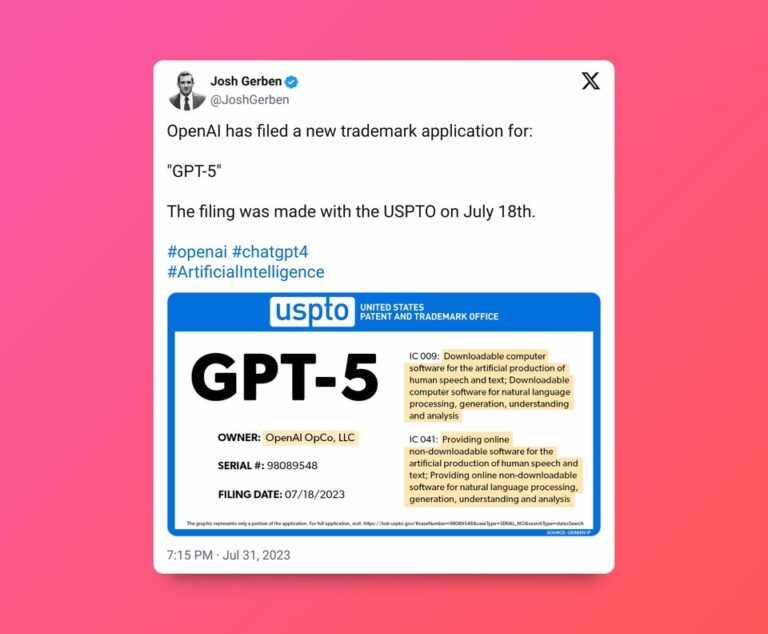
Readers can explore more about the broader issues of privacy in tech campaigns and evolving user expectations in this coverage of post-GPT-5 developments and user reactions.

Leave a Comment